TLDR
How to get more Google reviews, in five steps:
- Get your Google review link or QR code from your Business Profile.
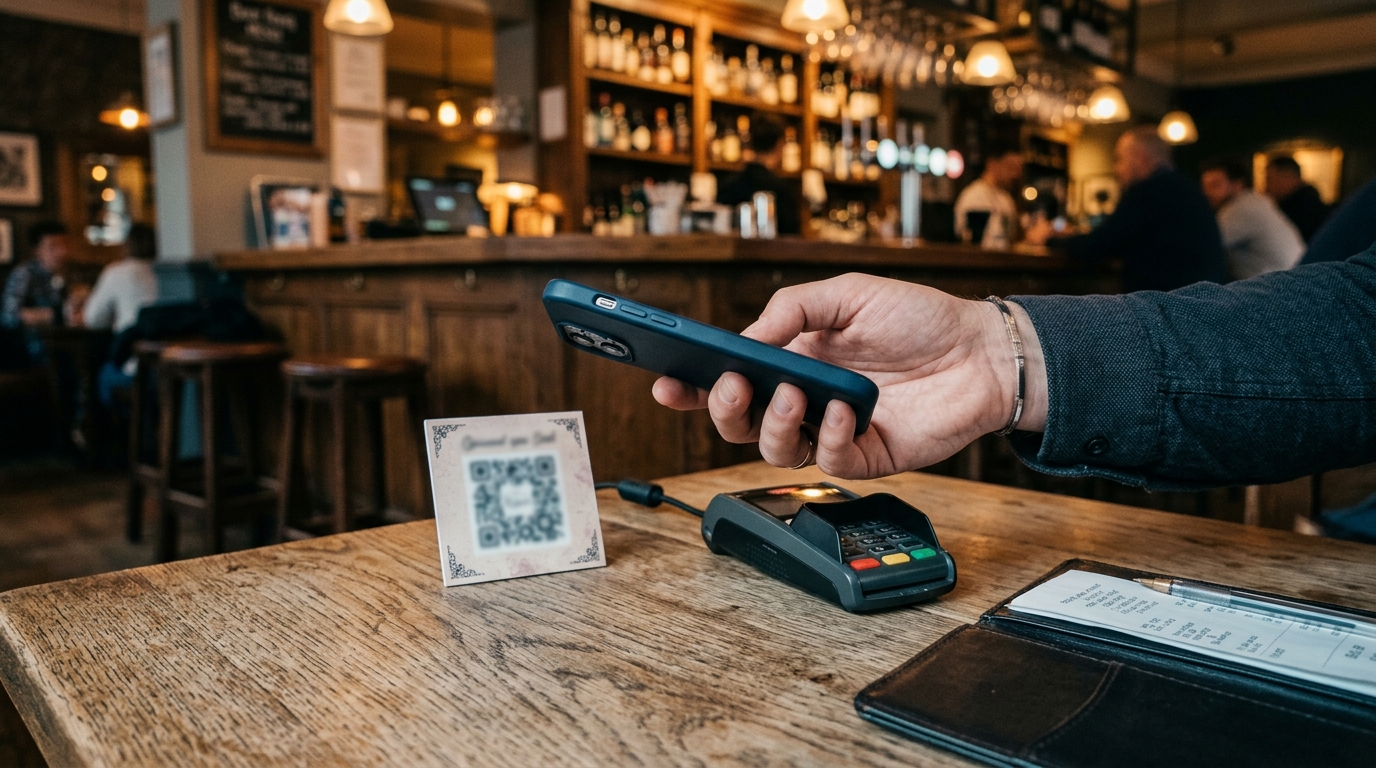
- Put it where guests already are: the receipt, the card machine, the bar top.
- Ask every guest, not only the ones who look happy.
- Offer nothing in return, and don't pressure anyone to review while they're on the premises.
- Reply to what arrives.
Where do you find your Google review link and QR code?
Your Google review link and QR code are in your Business Profile, under Read reviews, then Get more reviews. Google's page on creating a review link or QR code gives the steps: to copy the review link, select Copy. To download the QR code, right-click it and select Save image as.
One catch from the same page: Google says reviews QR codes can currently only be generated on a computer browser, not on mobile devices. If you run the profile from your phone between services, that's one job to save for the office.
Asking is allowed. Google's Business Profile Help says: "To leave reviews, you can ask customers to visit a Google link or scan a QR code." Customers need to be signed in to a Google Account to leave a review, and a guest without a Gmail address can set one up using a non-Gmail email address.
Where should you put your review link or QR code?
You can put your review link or QR code anywhere guests already look, and Google suggests four places: your receipts, your thank-you emails, the end of a chat, and a printed QR code displayed in your store. Those are Google's suggestions. For a restaurant, our suggestion is a printed card beside the card machine or tucked into the bill folder. For a bar, it's a card on the bar top, where guests wait to settle a tab.
You know your room better than we do. Where do your guests already pause with a phone in their hand?
What do you say when you ask for a Google review?
When you ask for a Google review, use neutral wording that leaves the rating and the words to the guest. Here are three options, all our suggestions:
- "If you'd like to leave a review of your visit, you can scan this QR code."
- "We'd welcome your review on Google. The link is on the card."
- "You can review your visit on Google. The QR code is on your receipt."
The reason is in Google's policy, which says merchants "should not require or pressure users to leave ratings or write reviews while on the premises, nor should they request that specific content be included." So the wording doesn't ask for a star rating, doesn't script what to write and doesn't wait over the guest while they type.
None of them says "if you enjoyed your meal". In our reading, that phrase picks out the happy guests, and the policy says merchants may not "selectively solicit positive reviews from customers". What Google does allow merchants to do is "Solicit or encourage the posting of content that does represent a genuine experience, without offering incentives to do so or attempting to influence the rating or the contents of the review." In our reading, asking for five stars is an attempt to influence the rating, which is why we don't suggest it.
How should your staff ask for a Google review?
Our suggestion is that your staff mention the card or the link to every guest, with no target and without asking a guest to name them. The basis is the same Google policy page, whose list includes "Merchants requesting that staff solicit a certain number of reviews" and "Merchants requesting that staff solicit reviews that include specific content, including content that identifies a staff member."
Who should you ask for a Google review?
You should ask every guest, because Google's policy says it does not allow merchants to "selectively solicit positive reviews from customers". In our reading, that applies wherever you ask, not only at the table. A card handed only to the tables that looked happy is the practice it names.
The regulator reads it the same way. The Competition and Markets Authority's Fake reviews guidance (CMA208, April 2025) describes cherry-picking as suppressing negative reviews or "encouraging just those who are satisfied to leave reviews". Asking is fine under the guidance. Asking only some guests is what it flags.
It's an easy habit to fall into. The table that's smiling is the one you want to hear from. So who decides which table gets the card at your venue, and what do they base it on?
The CMA's guidance also lists "arbitrarily stopping and starting review invitations" among the ways a business can interfere with the ability and willingness of reviewers to leave negative reviews. In our reading, that means you shouldn't pause your invitations after a bad review.
Can you offer a discount or a free drink for a review?
No, you can't offer a discount or a free drink for a Google review, because Google's policy says it does not allow merchants to "offer incentives – such as payment, discounts, free of cost goods and/or services – in exchange for posting any review or revision or removal of a negative review". A free dessert for a five-star rating is out, and so is a voucher to change a bad review. Buying reviews outright is out too: Google lists "Reviews or ratings that have been paid for, directly or in kind" as fake engagement. Our guide to what to do about fake reviews covers the rest.
The law is a little different, and it's worth knowing why the advice is still none. The CMA's guidance says a business is free to offer an incentive if it tells readers the review was incentivised, and the review still reflects the reviewer's genuine experience. It also says many platforms don't allow incentivised reviews, and where that's the case, submitting one is "likely to be misleading". Google's own ban, quoted above, puts it in that group. We don't recommend any incentive, and that includes prize draws.
What do you do when the reviews arrive?
When reviews arrive, you reply to them, and Google's tips page says: "Reply to reviews: Show customers that their feedback matters."
How fast owners do it varies. In our analysis of 10,983 owner replies at 586 UK restaurants and bars, measured September 2026, the median reply came 37.5 hours after the review. That's a day and a half. Our guide to how fast to reply to Google reviews shows the full picture, our reply templates cover the words, and the 1-star guide covers the hardest ones.
What does our own data say about guests who leave a rating with no words?
In our sample of UK restaurant and bar Google reviews, about 1 in 10 one- and two-star reviews come with no written comment, against nearly 1 in 4 of the four- and five-star reviews. The exact counts are in the key data points at the top of this page. It is a sample of UK restaurant and bar reviews and does not measure whether asking changes ratings.
Here's a question for your own profile: of your last ten five-star reviews, how many carry words, and how many are a star rating only?
Where can booteek help with your Google reviews?
booteek Pro can help with your Google reviews by drafting a reply on the review in front of you, which you edit and post yourself. It does not ask guests for reviews, send requests or promise more reviews, and it posts nothing for you. You can see what's included on the booteek Pro pricing page.
booteek AI, the AI agent for independent restaurant and bar owners, helps you reply to the reviews your guests leave.
QR card on the table, a reply where it counts: a Google profile worth a read.